



Businesses running SAP S/4HANA Public Cloud with multiple distribution plants often want users to transact only within authorized plants. However, standard business role restrictions are limited when all plants belong to the same company code or sales organization. This blog explains how we implemented plant-level authorization during Sales Order creation using SAP Screen Personas.
The business operates 24 distribution plants and requires plant-specific restrictions on business transactions. For instance, users assigned to Plant A should have permission to create, modify, or view transactions solely for Plant A, and should not have access to transact in other plants within the SAP Public Cloud environment.
In a Public Cloud environment, user authorization can be managed on a plant-by-plant basis using business role restrictions. However, this approach is not effective if all plants are included in a single Company Code or Sales Organization.
Alternatively, we fulfilled the requirement by utilizing ‘SAP Screen Personas’.
We are taking an example of Sales Order Creation. If user1 is authorized to create a Sales order only for plant A and User1 select customers of another plant, System should through error.
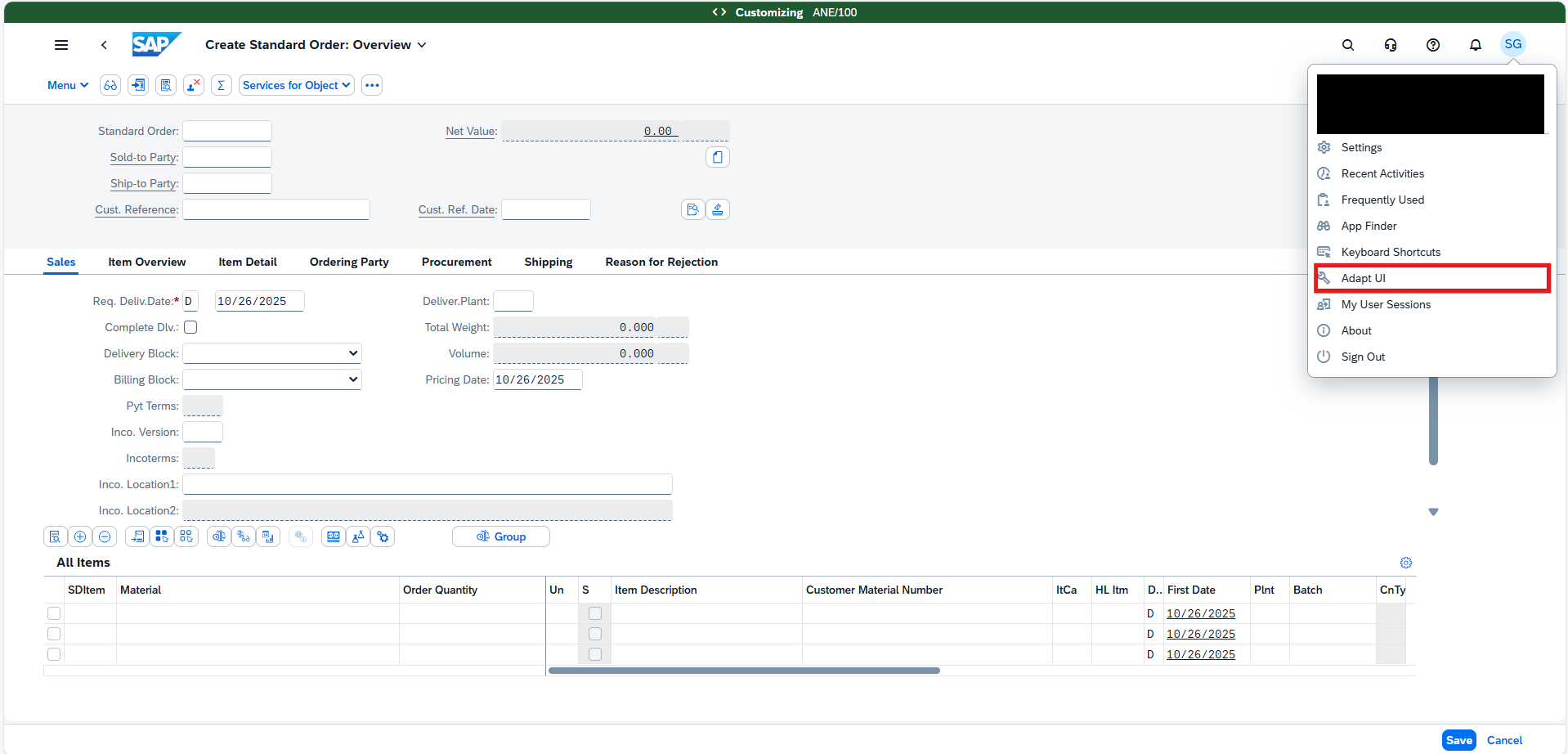
Go to Sales Order creation screen and click on the profile and select ‘Adapt UI’ option.
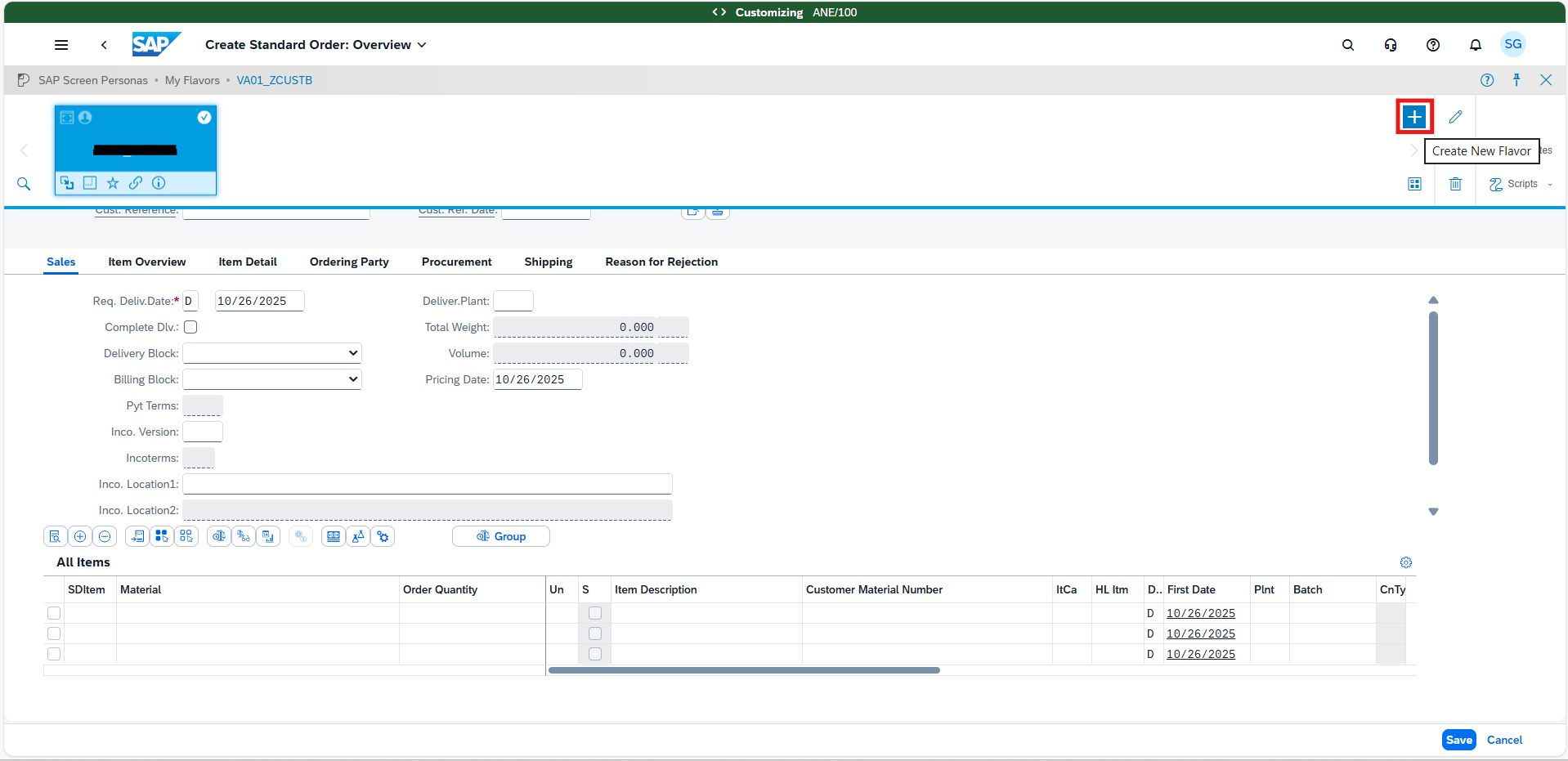
Now click on the ‘+’ button to add a new flavor.
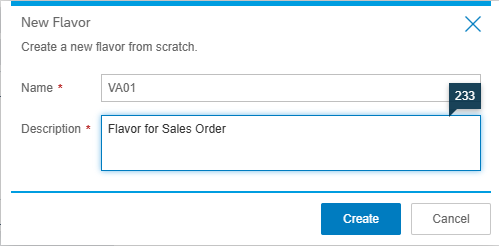
Put the Flavor name and Description and create.
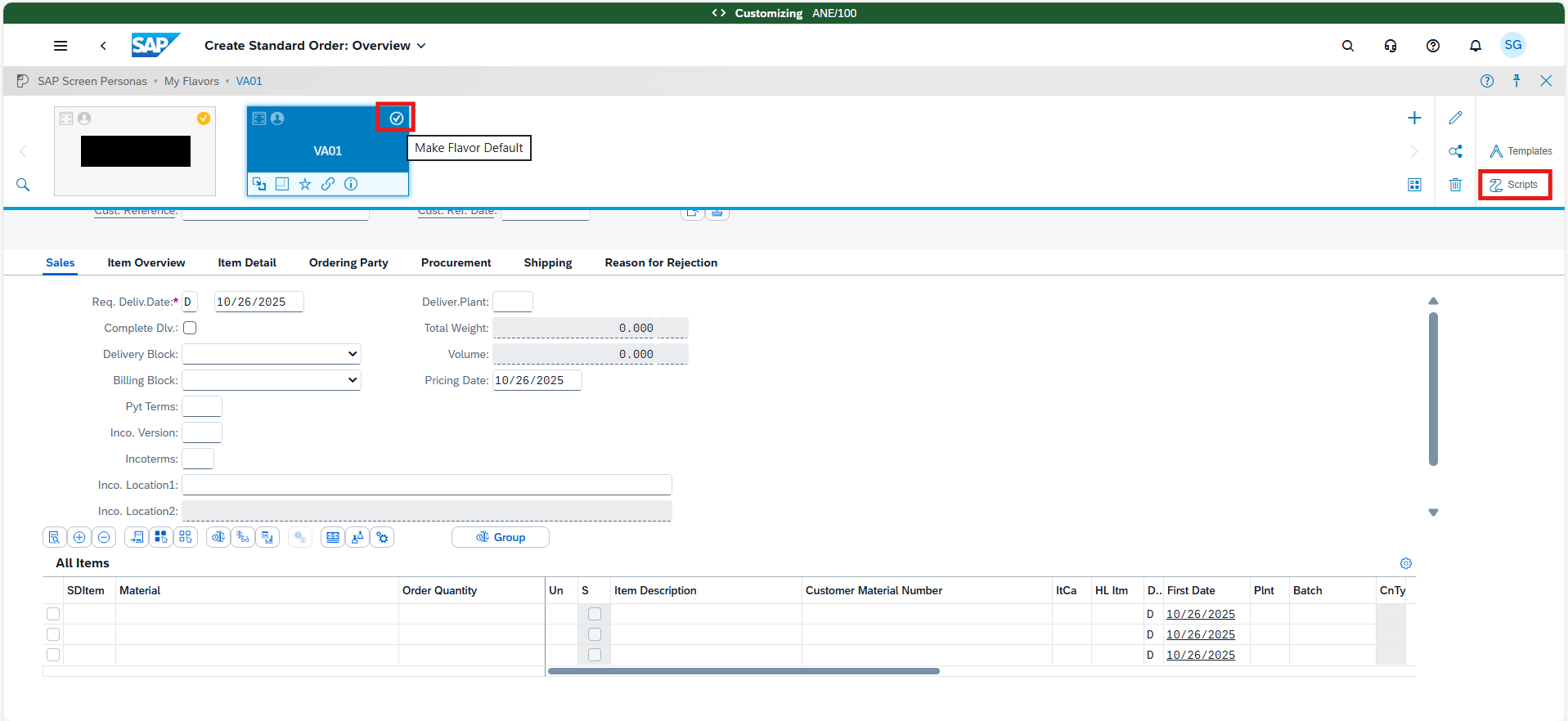
Once Flavors are created, Make Flavors default. Now click on the ‘Scripts’ to add code to implement the validations
Add the ‘+’ to add a new script
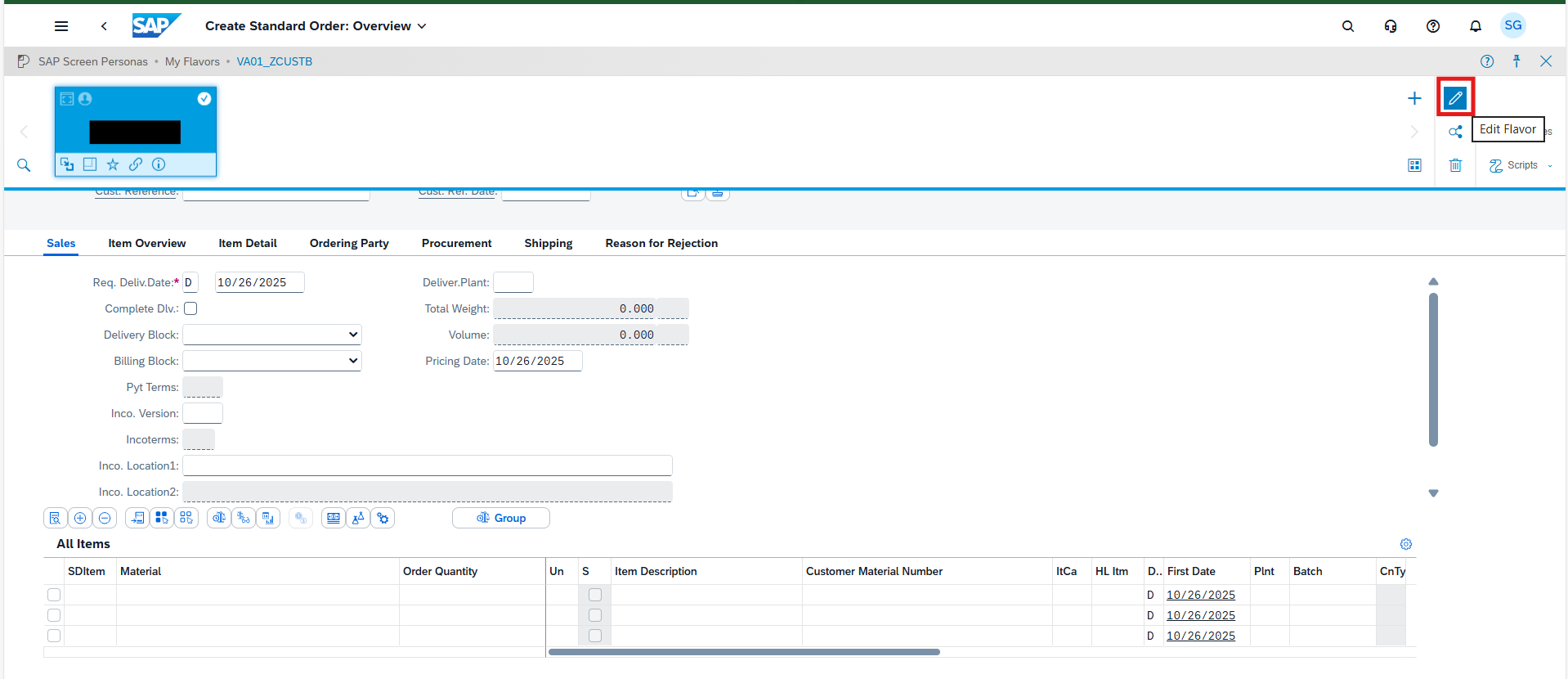
Save and exit. Now go to the Adopt UI option and again and click on ‘Edit Flavor’.
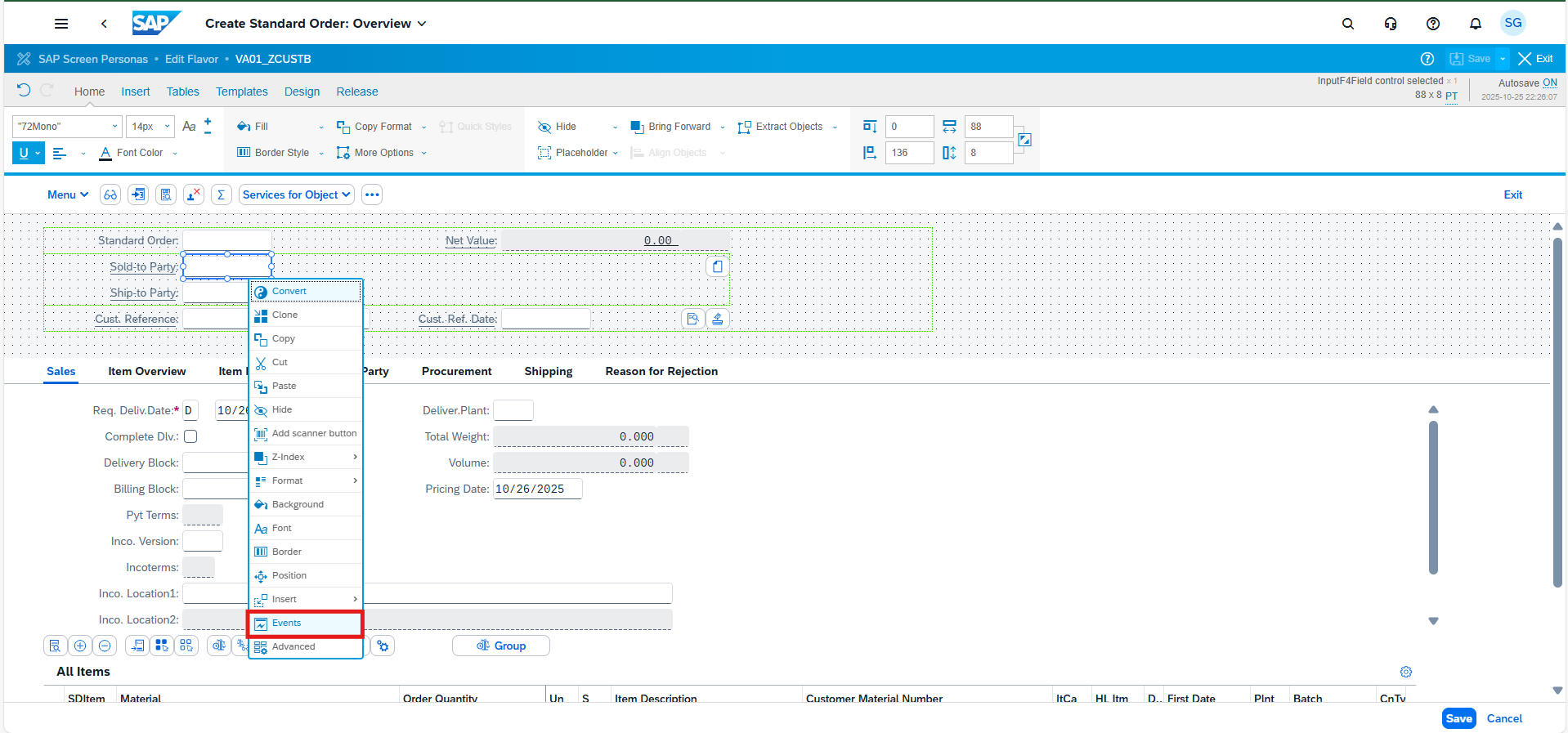
Select the Sold-to-Party field, right-click, and choose ‘Events‘.
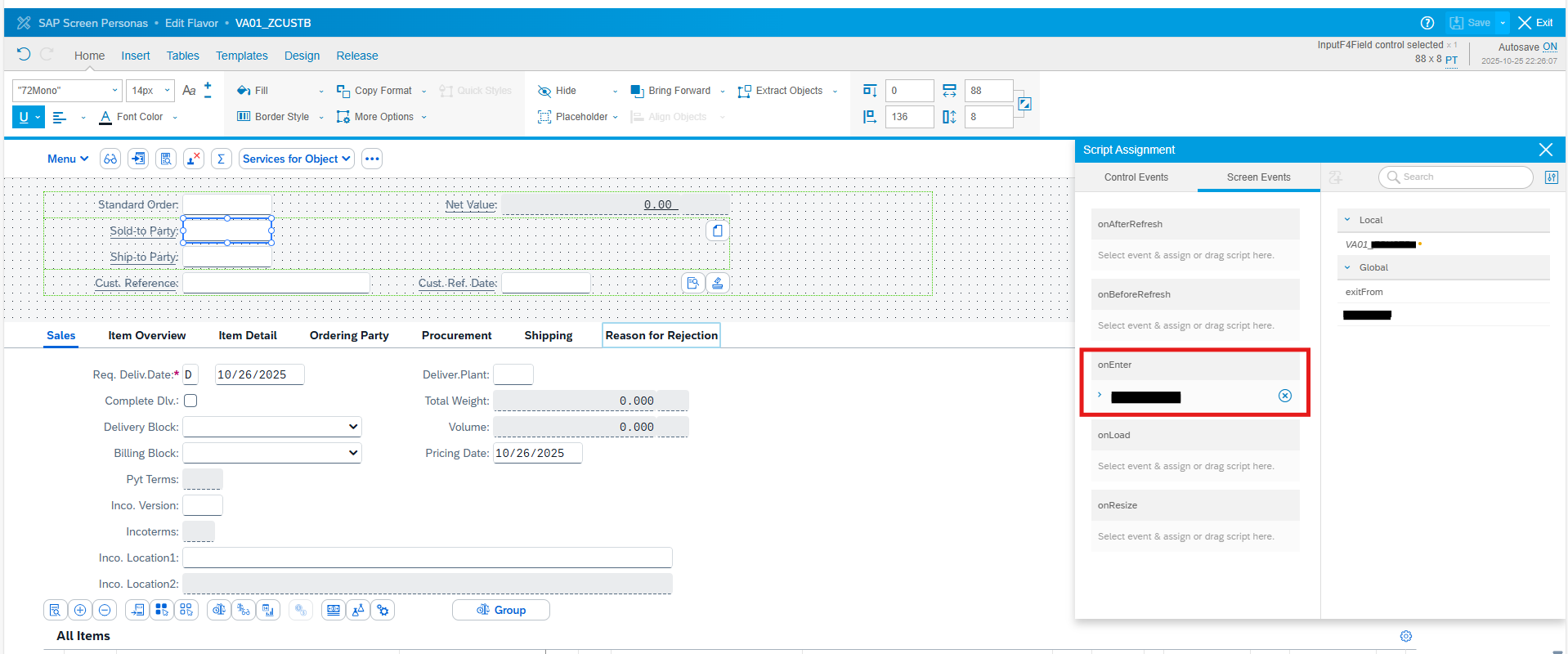
Assign the script for the event ‘OnEnter’.
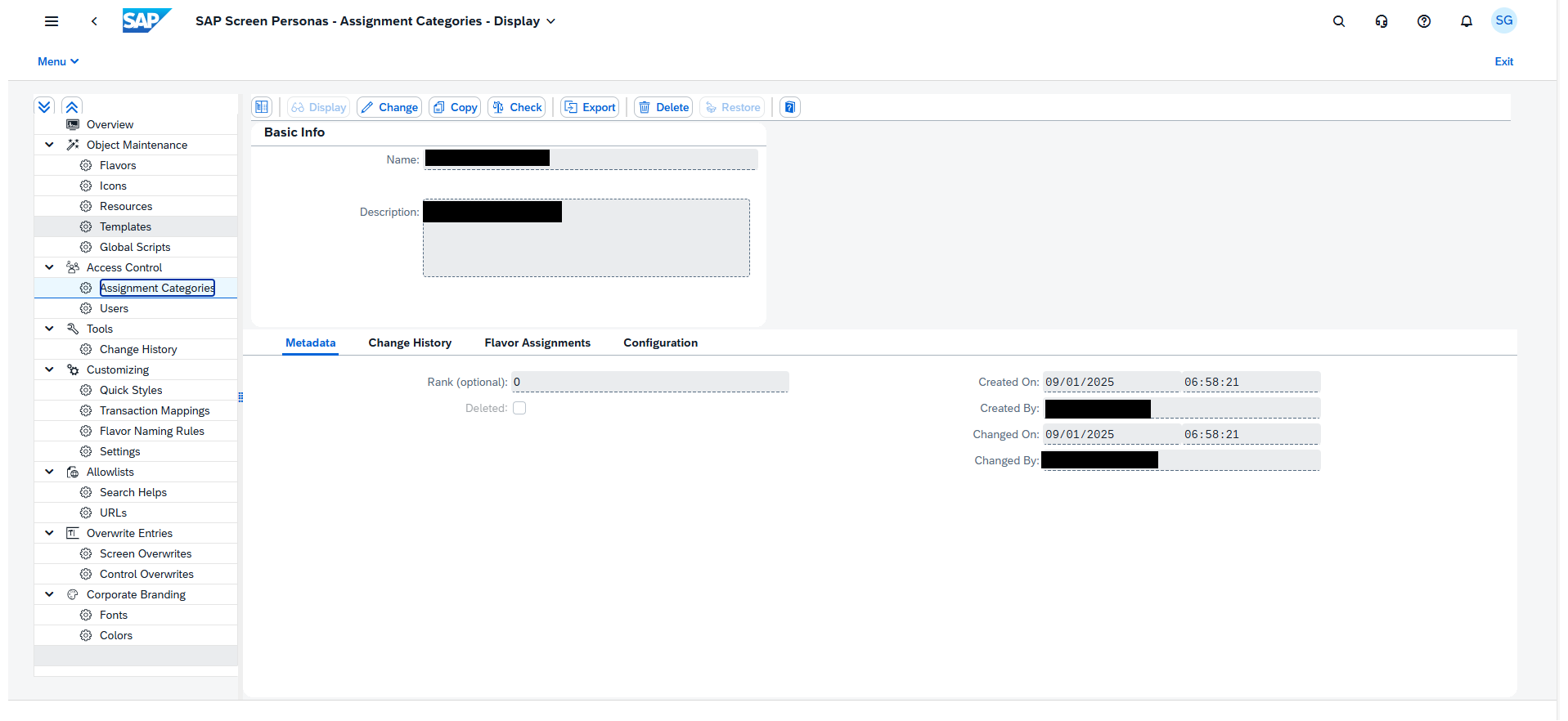
Open the application ‘Manage Flavors’.
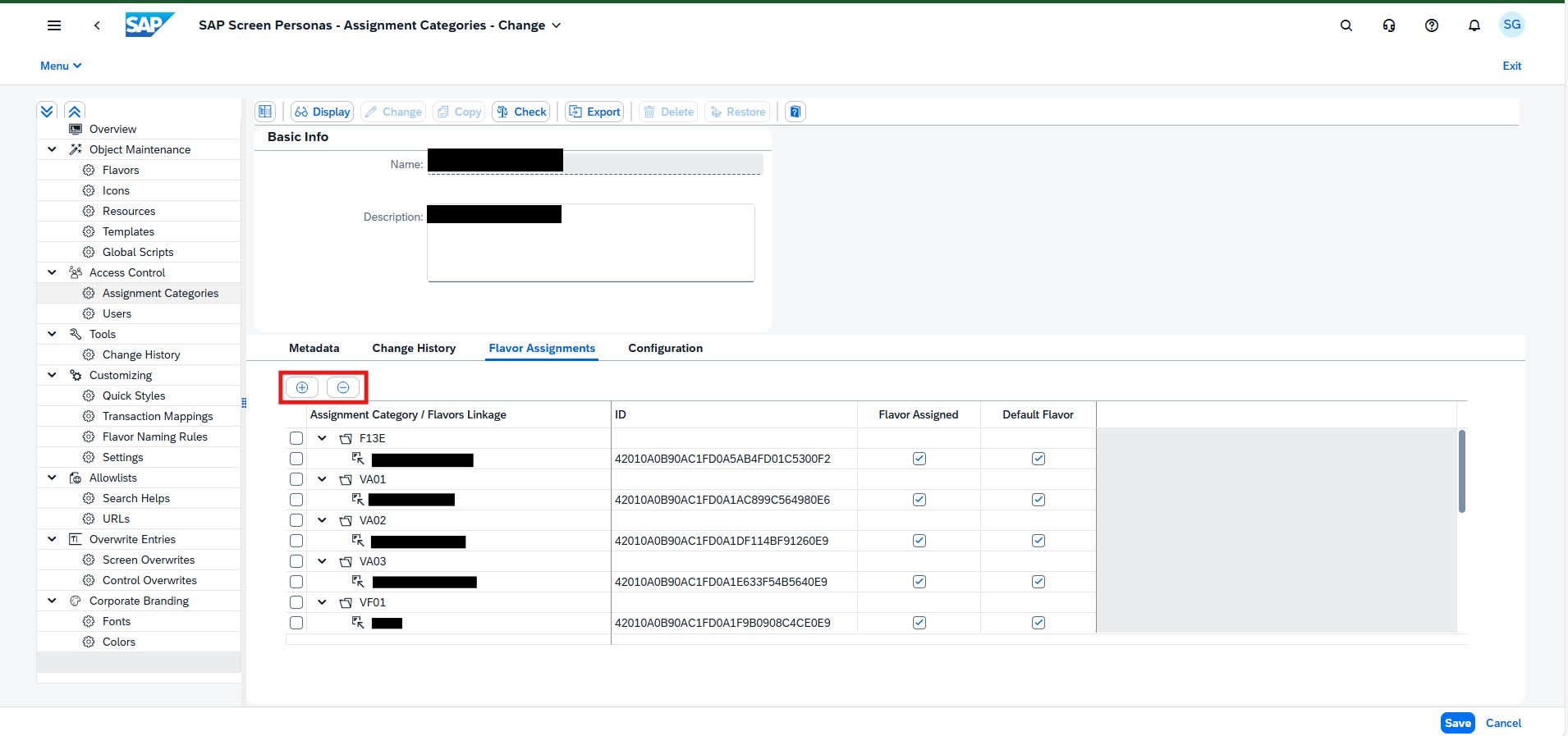
Create an ‘Assigment Category’ and assign all the flavors in the assignment category.
Click on ‘ Flavor Assignments’.
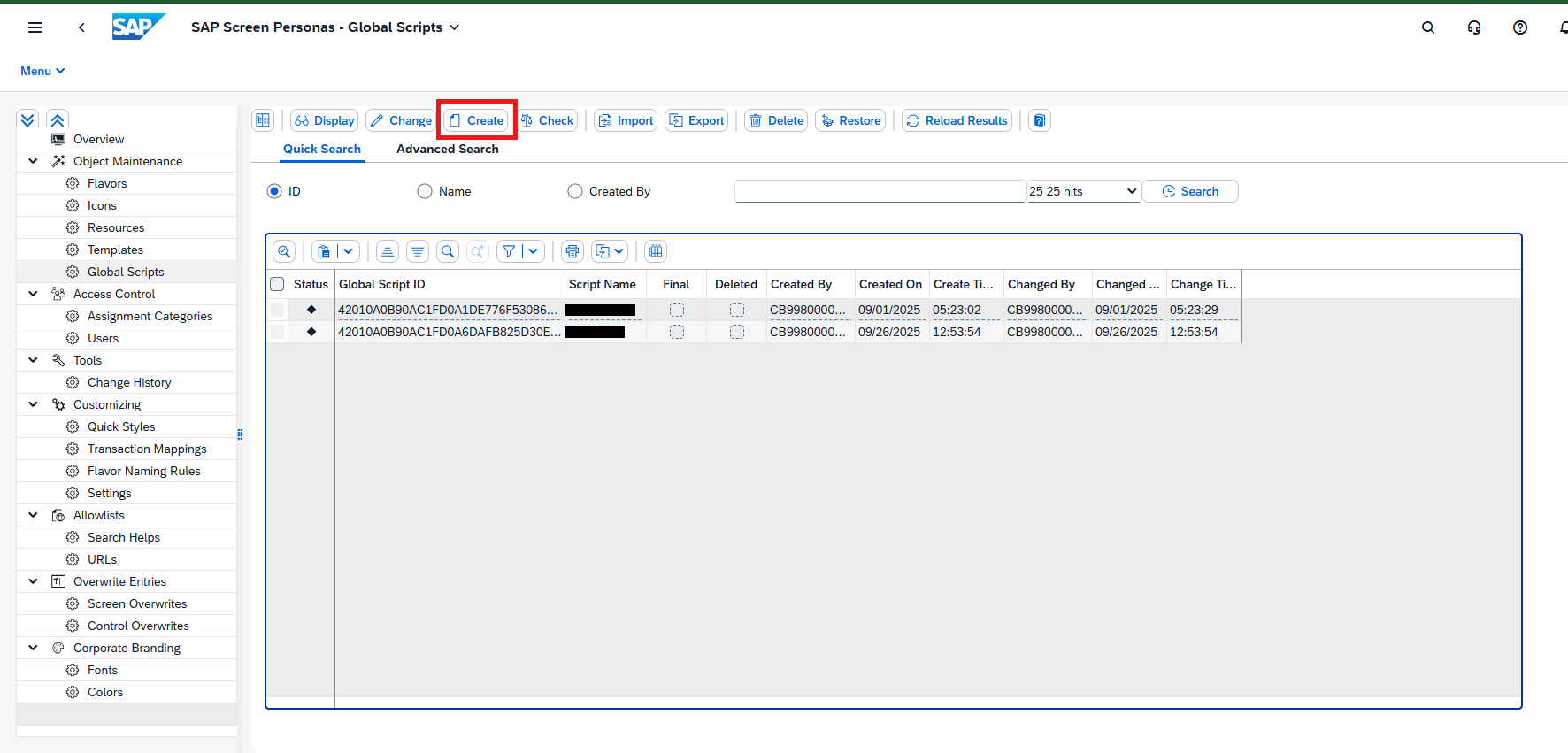
A global script can contain multiple scripts.
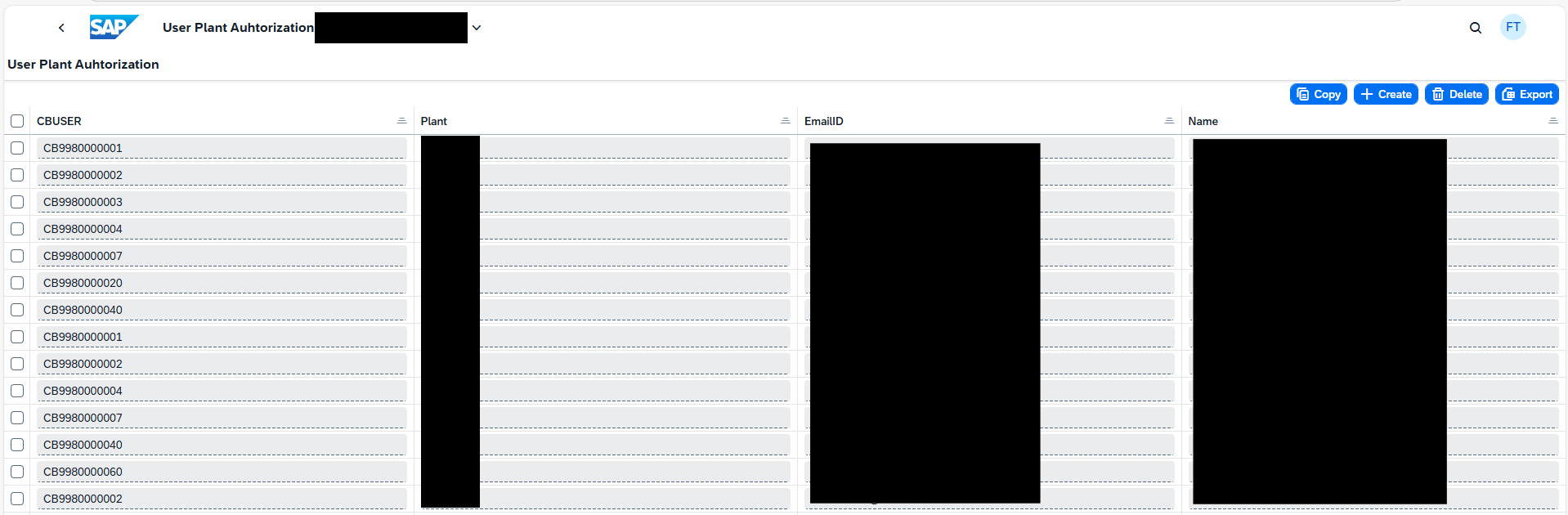
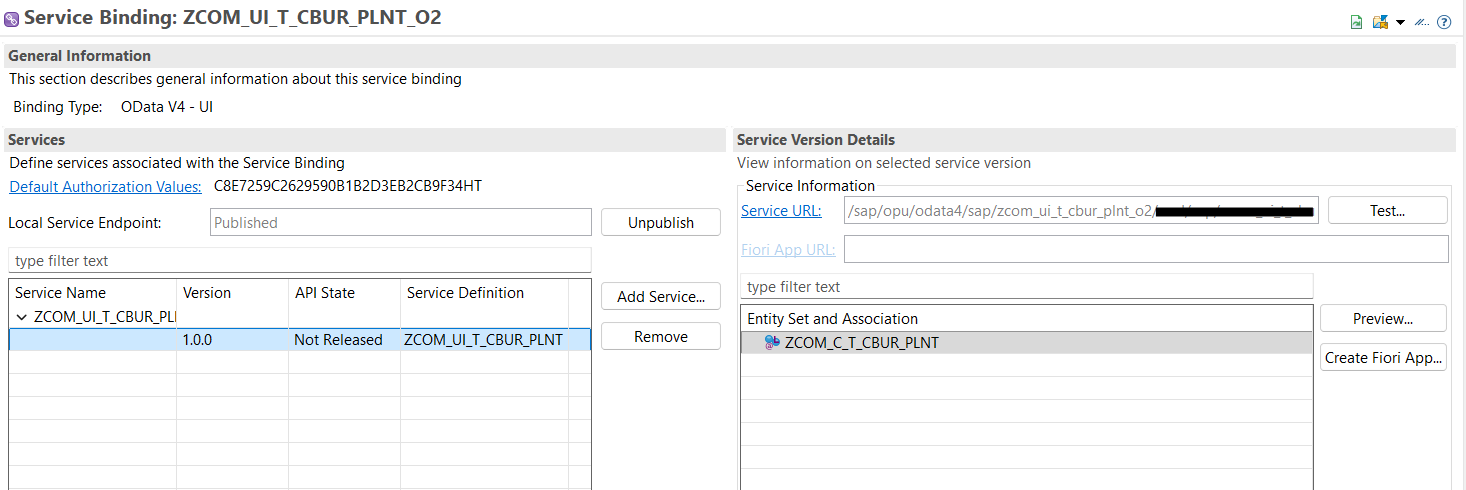
1. The script verifies user restrictions by referencing custom CDS in ADT, where we list CB users and emails alongside their designated plant. This CDS is published as a custom application.
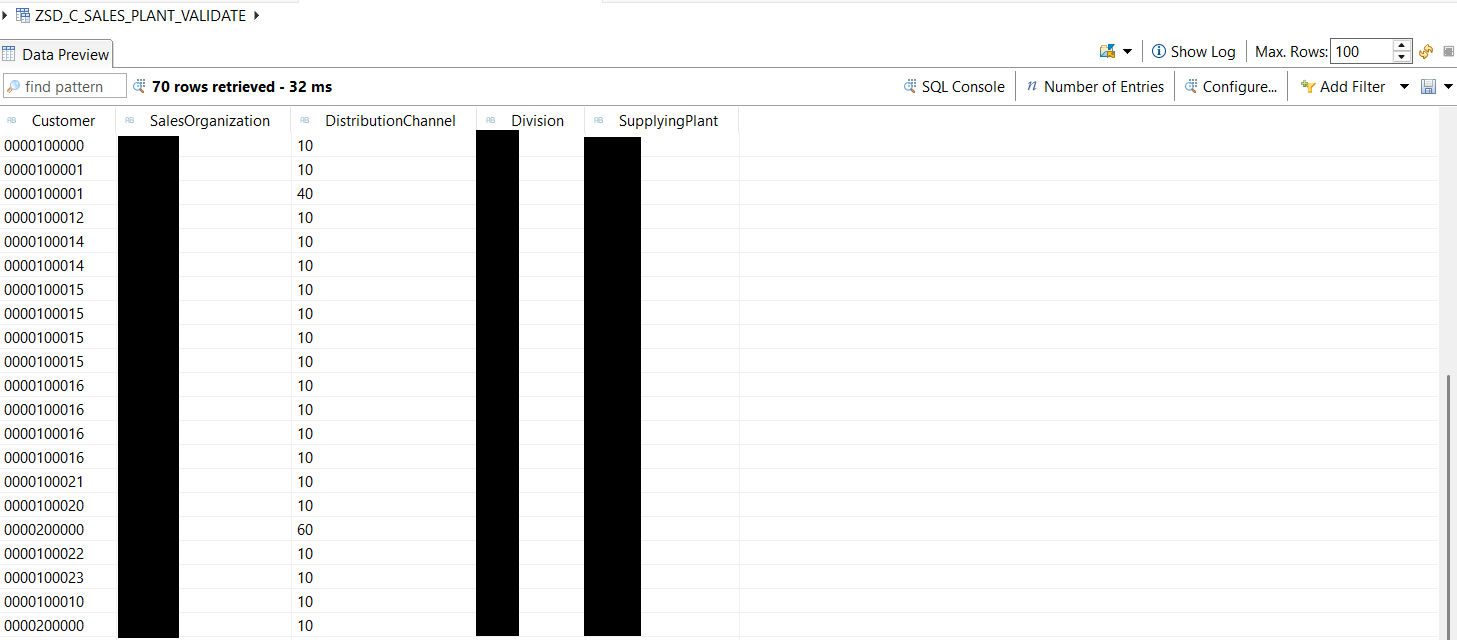
2. Defined a custom CDS (ZSD_C_SALES_PLANT_VALIDATE) containing the information of Customer and Delivering Plant of the standard CDS view I_CustomerSalesArea.
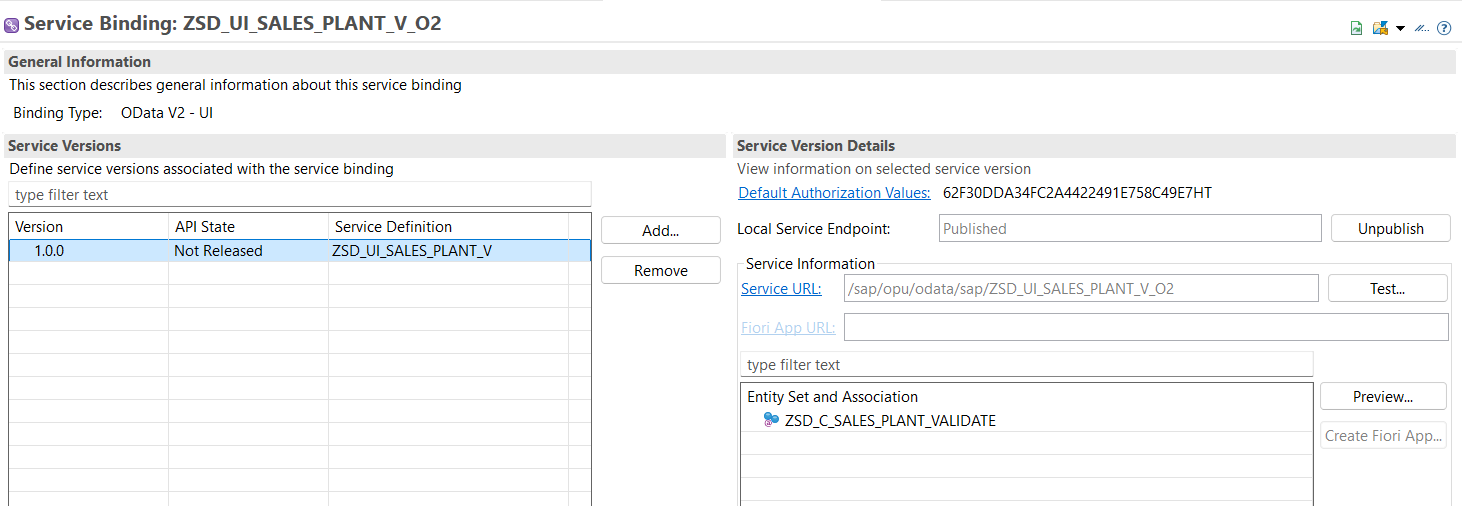
Script will utilize the OData service ZSD_UI_SALES_PLANT_V_O2 to verify which plant is maintained for the customer entered on the VA01 screen, utilizing the TMG.
var inputField = session.findById(“wnd[0]/usr/subSUBSCREEN_HEADER:SAPMV45A:4021/subPART-SUB:SAPMV45A:4701/ctxtKUAGV-KUNNR”)
var Customer = inputField.text;
var isAuthorized = false;
var xhr = new XMLHttpRequest();
var Cbuser = session.info.user
var authorizedPlant;
var sPlantUrl = “/sap/opu/odata4/sap/zcom_ui_t_cbur_plnt_o2/srvd/sap/zcom_ui_t_cbur_plnt/0001/ZCOM_C_T_CBUR_PLNT?$filter=Cbuser eq'”+Cbuser+”‘”
var oDataUrl = “/sap/opu/odata/sap/ZSD_UI_SALES_PLANT_V_O2/ZSD_C_SALES_PLANT_VALIDATE?$filter=Customer eq'”+Customer+”‘”
xhr.open(“GET”, oDataUrl, false);
xhr.setRequestHeader(“Accept”, “application/json”);
xhr.send();
if (xhr.status === 200) {
var oDataResponse = JSON.parse(xhr.responseText);
var dataItems = oDataResponse.d.results;
if(dataItems && dataItems.length == 0 ){
session.utils.alert(“Error: Customer not found”);
inputField.text = “”;
}
else{
authorizedPlant = dataItems[0].SupplyingPlant
}
} else {
session.utils.alert(“Error occurred during OData read call for customer details.”);
inputField.text = “”
}
if(authorizedPlant){
xhr.open(“GET”, sPlantUrl, false);
xhr.setRequestHeader(“Accept”, “application/json”);
xhr.send();
if (xhr.status === 200) {
var oDataResponse = JSON.parse(xhr.responseText);
var dataItems = oDataResponse.value;
if(dataItems && dataItems.length !== 0){
dataItems.forEach((item)=>{
if(item.Plant === authorizedPlant){
isAuthorized = true
}
})
if(!isAuthorized){
session.utils.alert(“You are not authorized for Plant “+authorizedPlant);
inputField.text = “”;
}
}
else{
session.utils.alert(“You are not authorized for Plant “+authorizedPlant);
inputField.text = “”;
}
} else {
session.utils.alert(“Error occurred during OData read call for user details.”);
inputField.text = “”
}
}else{
inputField.text = “”;
}
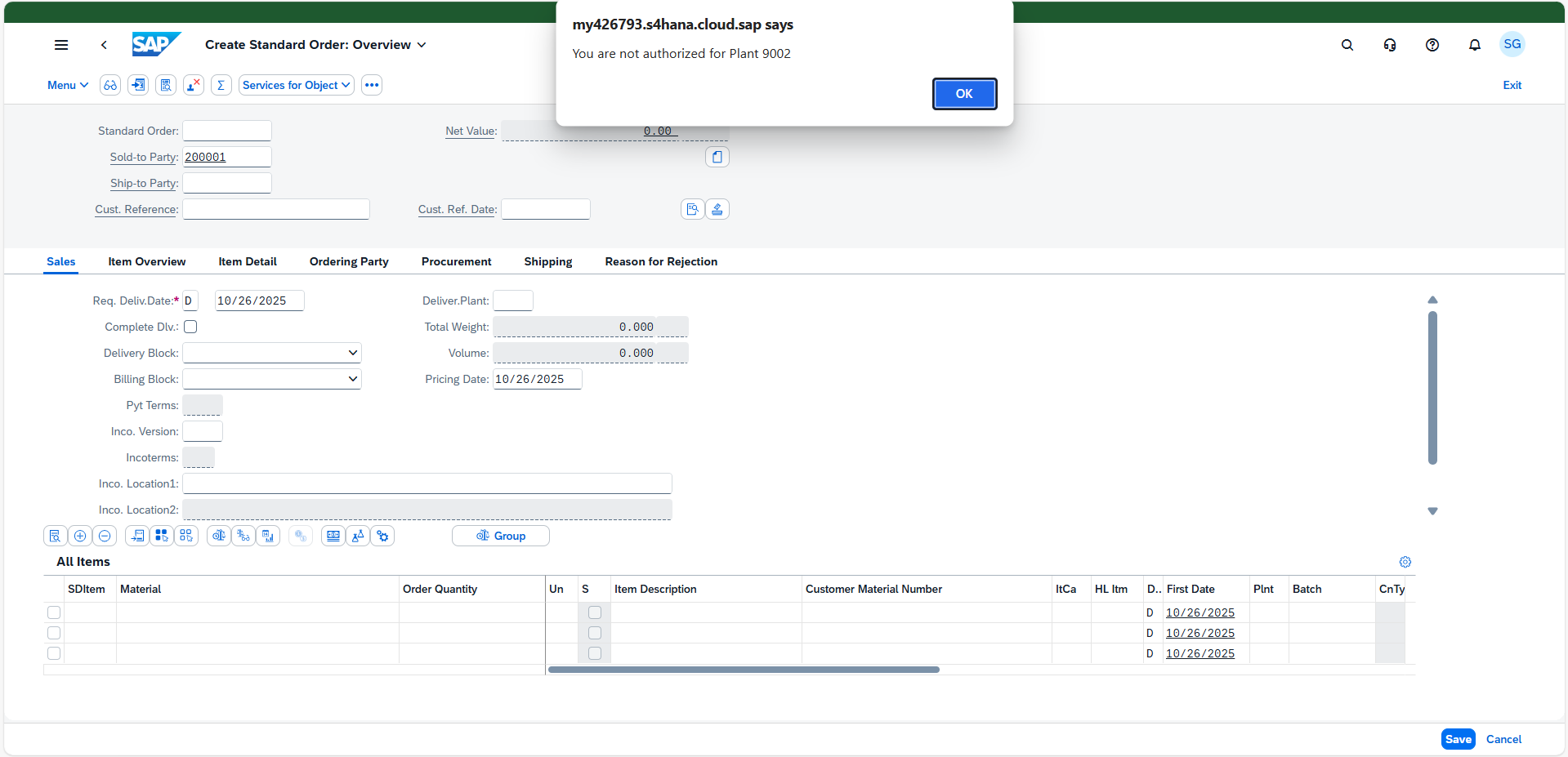
User is authorized for plant A. Currently; User is attempting to create a sales order for a customer associated with a different plant and got the below error.